
Planning Hub
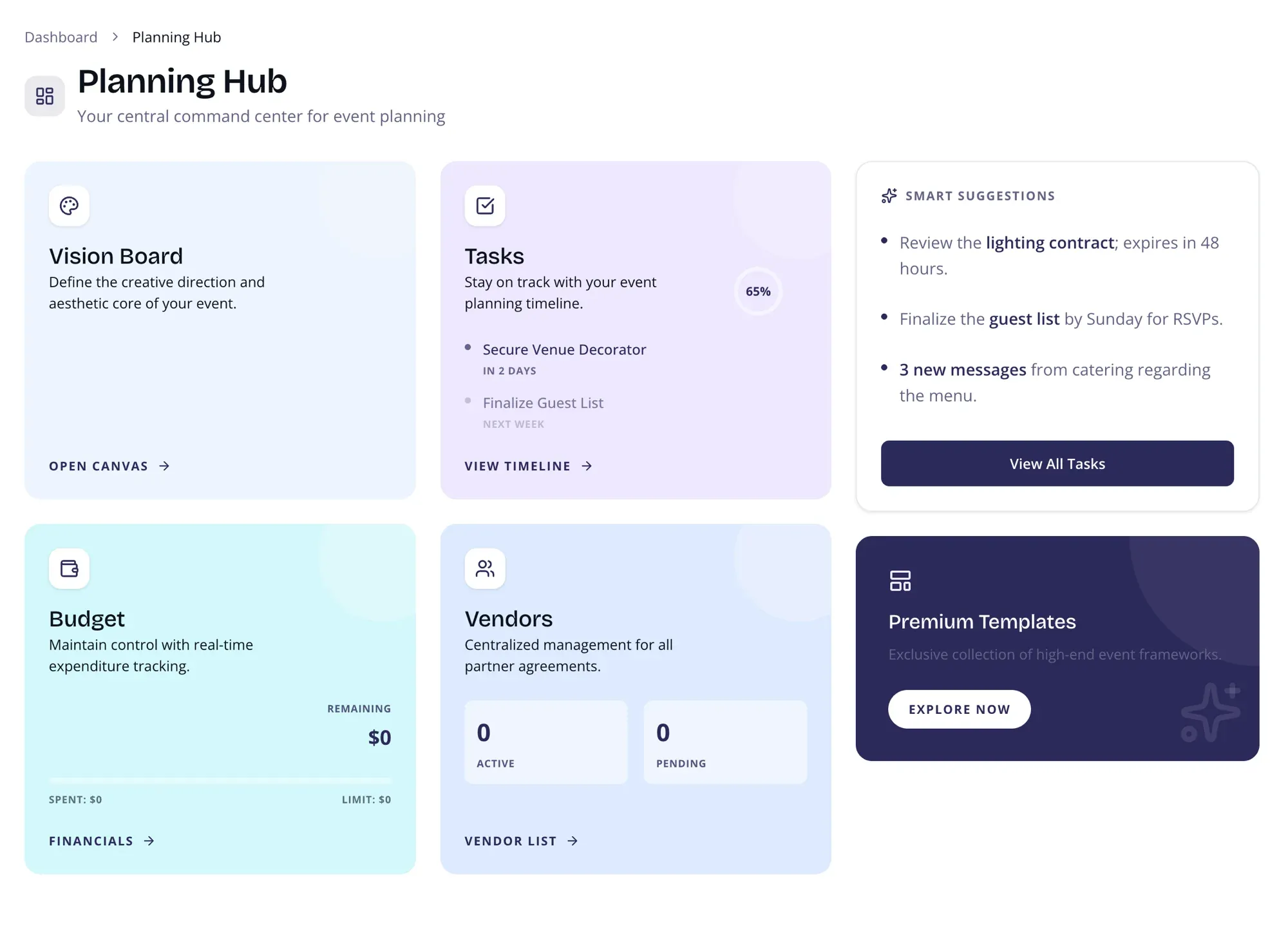
So many moving pieces. So little time. The Planning Hub puts everything in one place — budget, tasks, vendors, creative direction — so you can stop switching between tabs and start making decisions.
Vision Board
Section titled “Vision Board”This is where your event starts to feel real. Collect inspiration, set a mood, and share your creative direction with vendors and collaborators. Think of it as your event’s Pinterest — but actually useful.
Tasks & Timeline
Section titled “Tasks & Timeline”Your planning timeline, organized by milestones like “12 Months Before” and “Week Of.” Each task has a deadline and a completion ring so you always know where you stand.
- See upcoming deadlines at a glance
- Track progress with the completion ring
- Jump straight to your full task list
Budget Overview
Section titled “Budget Overview”The number you actually care about: how much is left. See your remaining budget, total committed spend, and a progress bar showing allocation at a glance.
Click through to the Budget Manager for the full breakdown.
Vendor Management
Section titled “Vendor Management”Track who’s booked, who’s still in negotiation, and who needs a follow-up. Quick access to contracts, contact details, and payment status.
See the full Vendor Management docs for details.
Smart Suggestions
Section titled “Smart Suggestions”AI-powered nudges that surface what needs your attention — expiring contracts, upcoming deadlines, and unread vendor messages. You don’t have to remember everything; the system does it for you.
Page Layout
Section titled “Page Layout”Two-column layout on desktop:
- Main area — Four planning cards (Vision Board, Tasks, Budget, Vendors) in a responsive 2×2 grid
- Sidebar — Smart Suggestions and Premium Templates
On mobile, everything stacks vertically.