
Media Hub
Your event just happened. Now there are hundreds of photos — and everyone wants theirs. The Media Hub organizes everything and uses AI to match faces to guests, so no one has to scroll through 500 photos to find themselves.
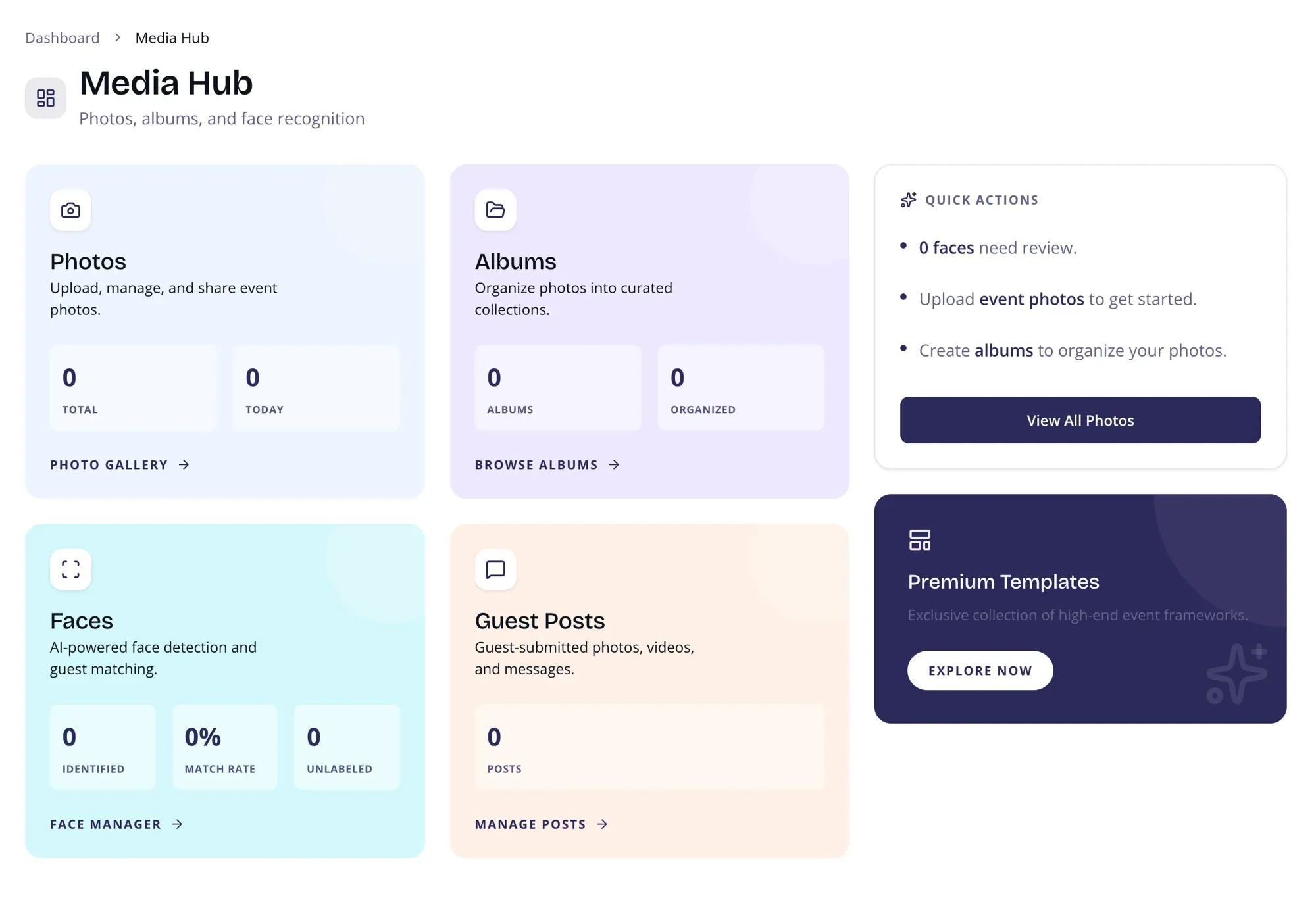
Photos
Section titled “Photos”See your total photo count and today’s uploads at a glance. Click through to the full photo gallery for uploading, managing, and sharing event photos.
Albums
Section titled “Albums”Track how many albums you’ve created and how many photos are organized into collections. Jump to the album browser to create and curate albums for different moments (ceremony, reception, portraits).
AI-powered face detection and guest matching stats:
- Identified — Number of unique guests detected
- Match Rate — Percentage of faces successfully matched to known guests
- Unlabeled — Faces that still need manual review
Quick Actions
Section titled “Quick Actions”Smart suggestions based on your current data:
- Number of unlabeled faces needing review
- Prompt to upload event photos
- Prompt to create albums for organization
Page Layout
Section titled “Page Layout”Two-column layout on desktop:
- Main area — Three cards (Photos, Albums, Faces) with live stats
- Sidebar — Quick Actions and Premium CTA
On mobile, the layout stacks vertically.